The course
What the course covers
Four weeks, one short lesson a day. Each week has a theme and each lesson covers one task.
Week by week
These are the lesson topics. The quiz sets your starting level and how long each day's lesson is.
- 1
Week 1
Basics
What AI tools are good at, and how to ask for what you need.
Lesson topics
- What AI tools can and can't do
- Writing a clear prompt
- Giving context and examples
- Asking for changes instead of starting over
- Checking an answer before you use it
- Keeping private information out of prompts
- Your first saved prompt
- 2
Week 2
Your tasks
Emails, messages and documents: the writing most jobs are made of.
Lesson topics
- Replying to a long email thread
- Changing the tone: shorter, warmer, more formal
- Turning meeting notes into a summary and actions
- Summarising a long document
- Building an outline for a report
- Editing a draft for clarity
- Translating a message for another audience
- 3
Week 3
Workflows
Spreadsheets, research and planning, then linking steps together.
Lesson topics
- Cleaning a messy list
- Getting formulas written and explained
- Describing what a table shows
- Researching a topic and comparing sources
- Preparing for a meeting
- Planning a project step by step
- Chaining prompts into a workflow
- 4
Week 4
Using it daily
Make it a habit, build your own workflow and finish with the certificate.
Lesson topics
- Building a library of prompts you reuse
- Templates for tasks you do every week
- Automating a repetitive job step by step
- Working with files and images
- Choosing the right tool for a task
- A workflow for your own role
- Final review and your certificate
Five areas of everyday work
Lessons from all five run through the four weeks.

Emails and messages
Draft replies, change the tone and turn rough notes into a message you can send.
- Reply to a long thread
- Make it shorter or warmer
- Notes into a clear update

Documents and reports
Summarise long files, build an outline and tidy a draft before it goes out.
- Summarise a long file
- Outline a report
- Edit a draft for clarity
Spreadsheets and data
Clean messy lists, get formulas written and explained, and describe what a table shows.
- Clean a messy list
- Write and explain formulas
- Describe what the numbers show

Research
Look into a topic, compare sources and check an answer before you rely on it.
- Compare sources
- Pull out the key points
- Check an answer
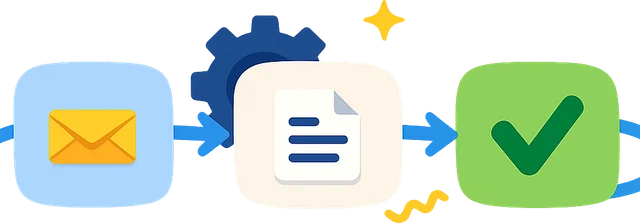
Repetitive tasks
Turn a job you do every week into a saved prompt or a step-by-step workflow.
- Save prompts you reuse
- Templates for weekly tasks
- Chain steps into a workflow
When you finish
Finish with a certificate
After the last lesson you can download a certificate of completion with your name on it.